More About Account Aggregation.
What is account aggregation?
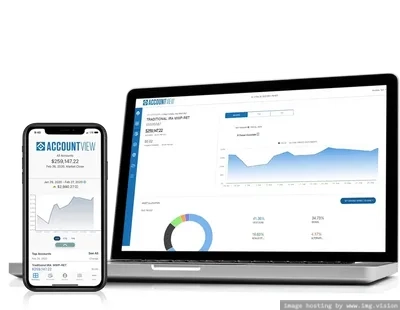
Account aggregation is the act of digitally linking all your outside financial account balances to view them in one location. Account View’s account aggregation powered by Morningstar® helps advisors and investors get a holistic view of their financial assets and liabilities by automating the aggregation process. Morningstar implements a knowledge-based process that uses artificial intelligence to securely gather and transform financial account data. The data is then delivered to your financial application of choice.
How do I gain access to account aggregation capability?
If you have Account View 2.0 and wish to gain access to this feature, please contact your Financial Professional to discuss if this capability might be a good fit for you.
What type of aggregated data will be available?
For the initial rollout of this capability, you’ll have the ability to aggregate and view your outside account balances. As part of our long-term roadmap, we’ll be exploring ways to incorporate additional data, including positions and transactions.
Who can access my aggregation profile?
Your financial professional will have view-only access to your aggregated account balances as part of their planning process. However only you, the end investor, will have the ability to modify your accounts.
What account types are supported?
We support a wide array of account types including, but not limited to, 401(k)s, 529 plans, IRAs, brokerage accounts, cash and equivalents, checking, savings, credit card and liability accounts, sweep accounts and fixed/variable annuities.
What type of data is aggregated?
Morningstar aggregates data related to Financial Accounts, Positions, Transactions (trade or settlement), Prices, Securities, and Tax Lots.
How does Morningstar ensure the data is accurate?
Morningstar ensures high-quality data by performing checks at each step of the data acquisition, enrichment and delivery process to ensure the accuracy and completeness of your aggregated data, so that you and your advisor can have the most comprehensive and actionable view of your finances.
How often is data aggregated?
When a user links their account(s), data will be aggregated immediately, including the current account positions and historical transactions as far back as the first calendar day of the prior year. Moving forward, aggregation occurs automatically on a nightly basis, and captures newly posted transactional data and prior day close position values. Subsequent aggregation may also be performed on demand, if needed to support specific aggregation use cases.
What do I do if there is an inaccuracy with the data I’m receiving?
Data inaccuracies should be reported through the available support channels, so that a ticket can be logged for Morningstar to investigate and provide a resolution.
What do I do if my accounts stop aggregating?
We recommend that you review the error message, and if the error message doesn’t provide an adequate resolution or recommended action, the issue should be reported through the available support channels, so that a ticket can be logged for Morningstar to investigate and provide a resolution.
How long does Morningstar retain aggregated data?
Data retention policy is determined on a per-customer basis. Morningstar is a data intermediary, collecting information from the primary source (e.g., the financial institution where the account is held) and delivering it to our customers. Typical retention is one calendar quarter but can be configured by customer. Please enquire with your service provider for their specific data retention policies
What benefit do I get from linking my accounts?
Key benefits of Morningstar Morningstar include:
- Viewing a complete picture of your net worth
- Receiving more actionable and personalized guidance
- Gauging progress toward financial health goals